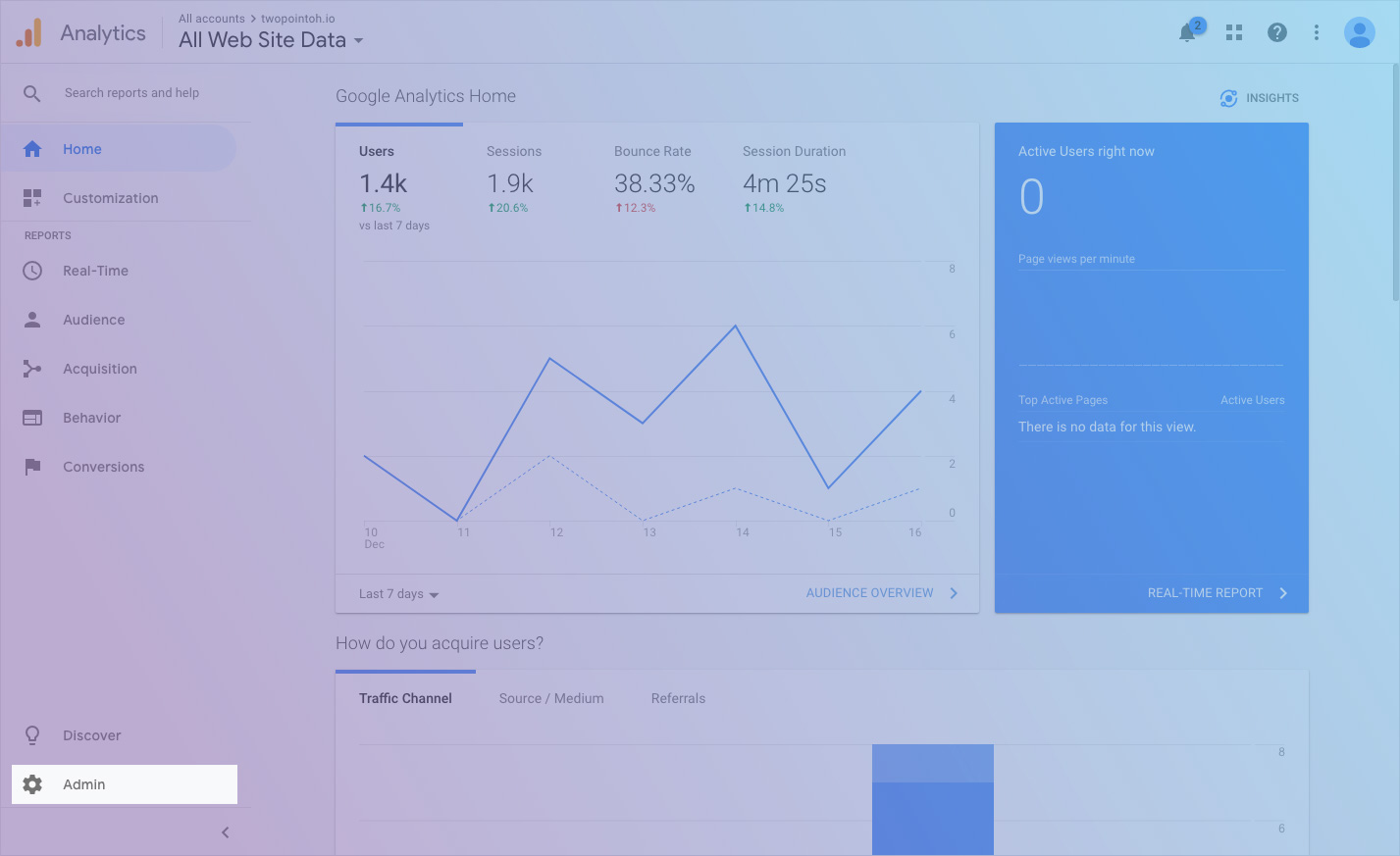
Open Google Analytics and click the "Admin" link on the bottom left side of the page.
step 2 :: open google analytics admin panel
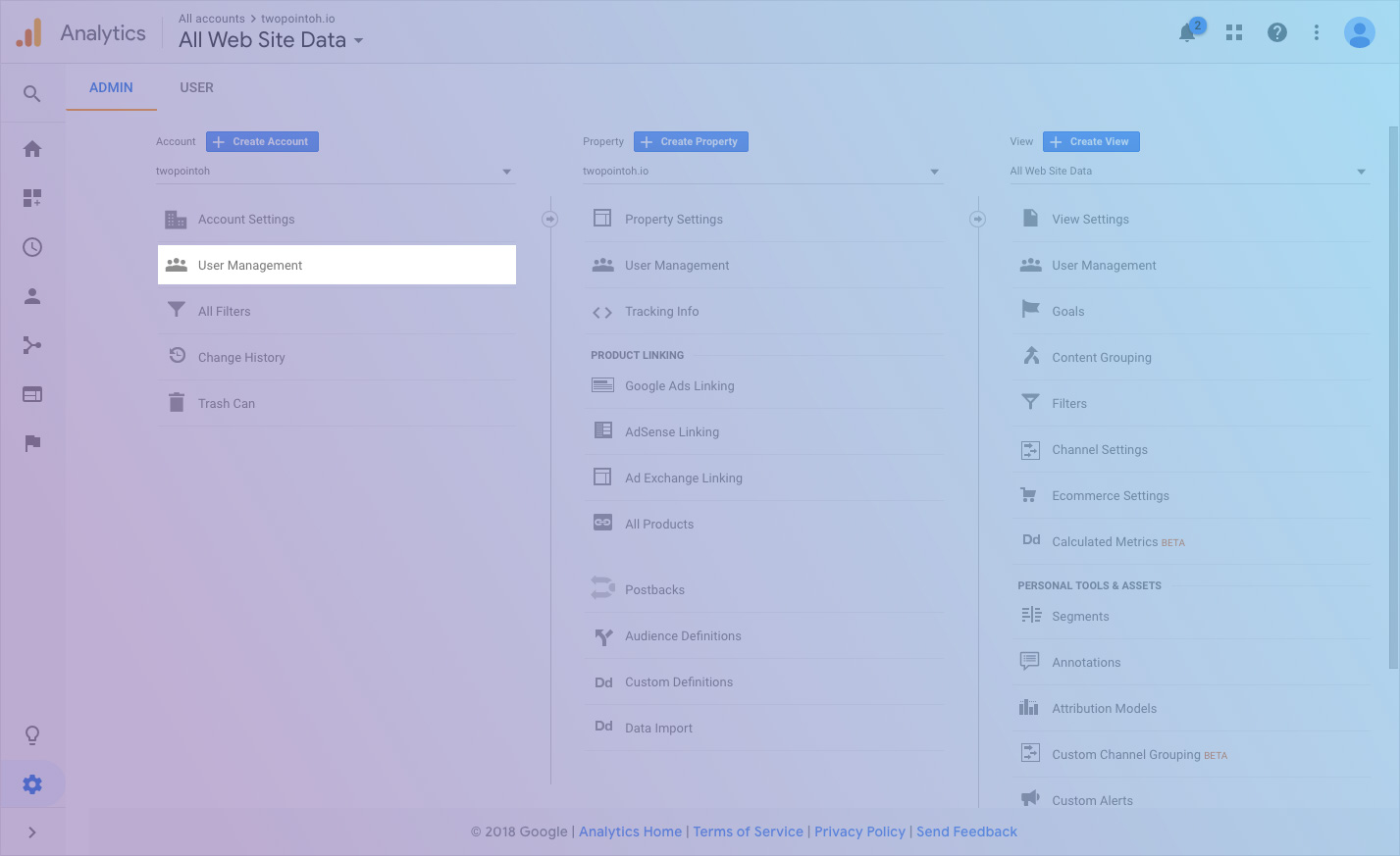
Select the User Management option under either the "Account" or "Property" (generally, we recommend the "Account" level access.
If you do not have access to edit users, you may need to contact your Google Analytics administrator.
step 3 :: add user
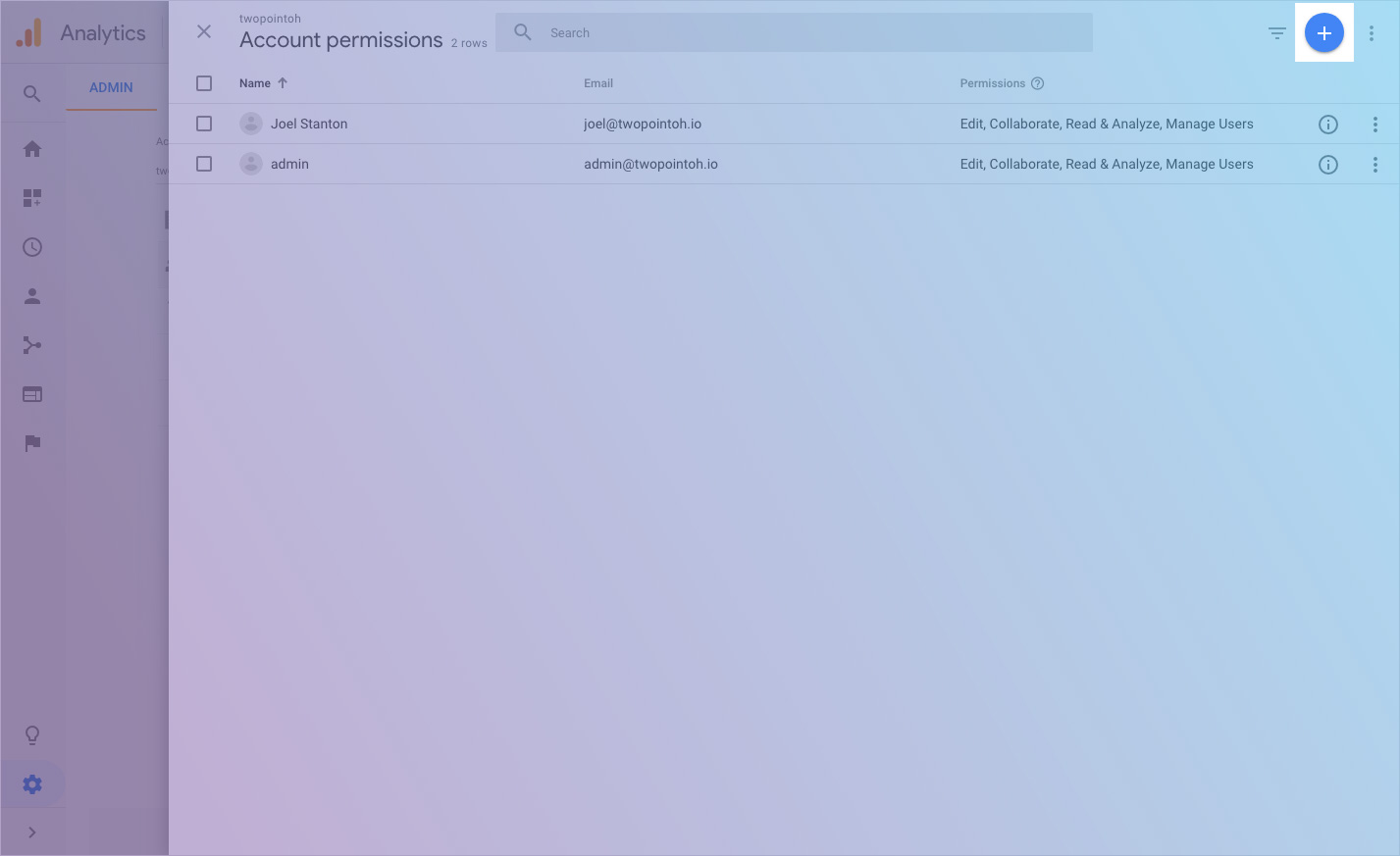
Once you are on the "User Management" page, click the blue plus sign on the top right of the page and select "Add users."
step 4 :: enter user email address
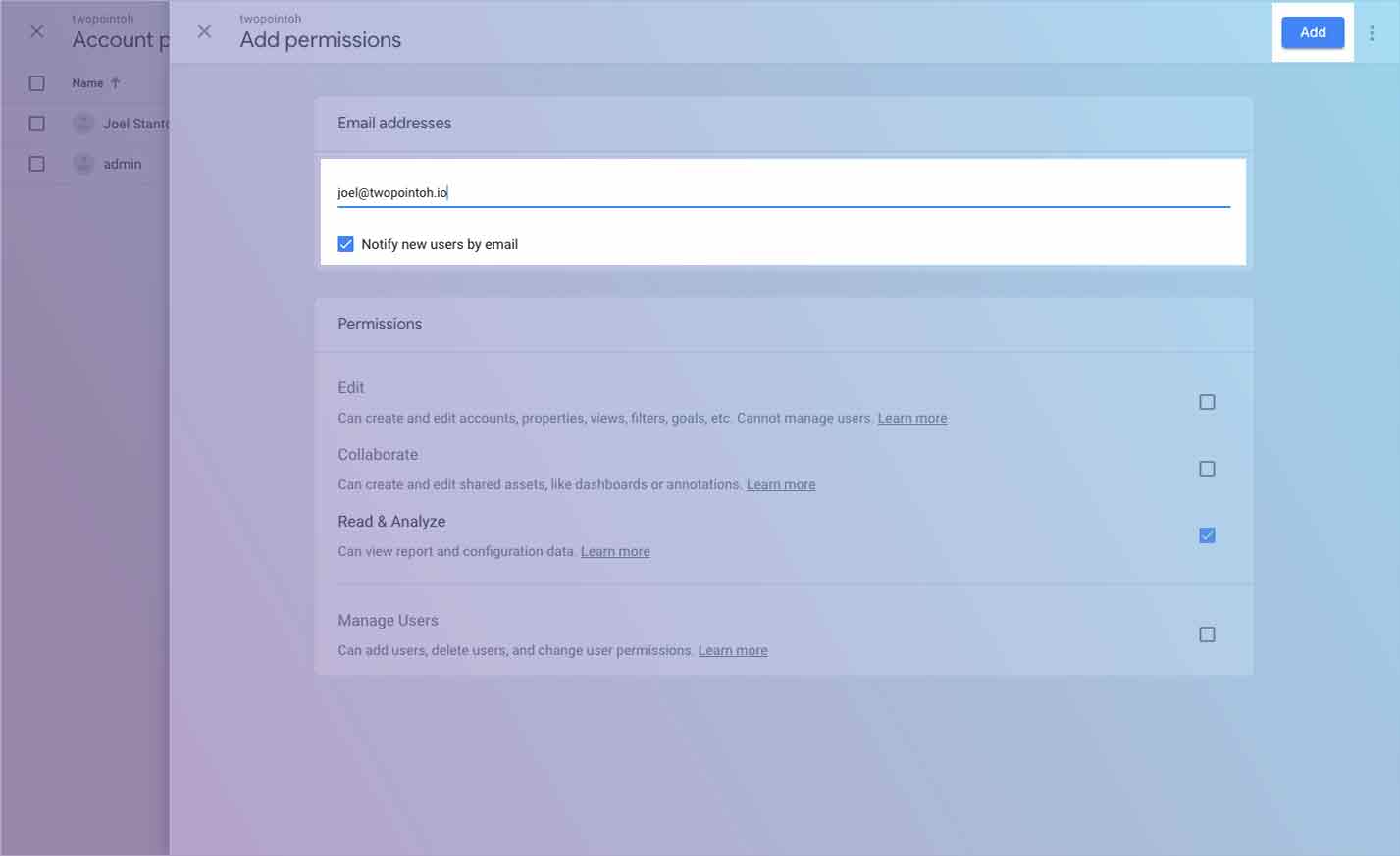
Enter the email address of the user you would like to add. We recommend always leaving "Notify new users by email" checked so the user will immediately see that they have been added.
We suggest only granting "Read & Analyze" privileges to start. This can always be updated later.
And you are done! We encourage everyone to purge access frequently so no one has access to your data who should not.