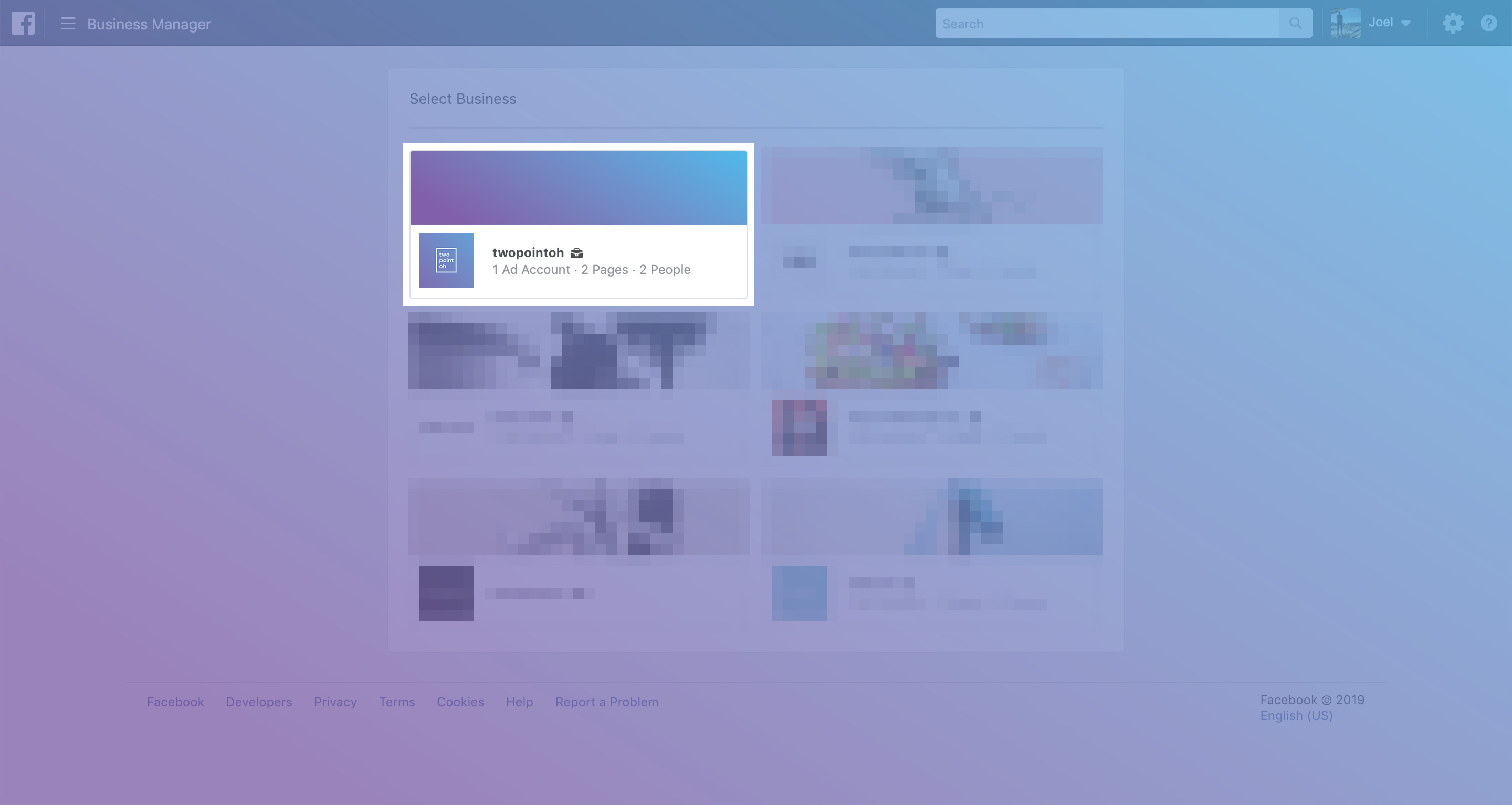
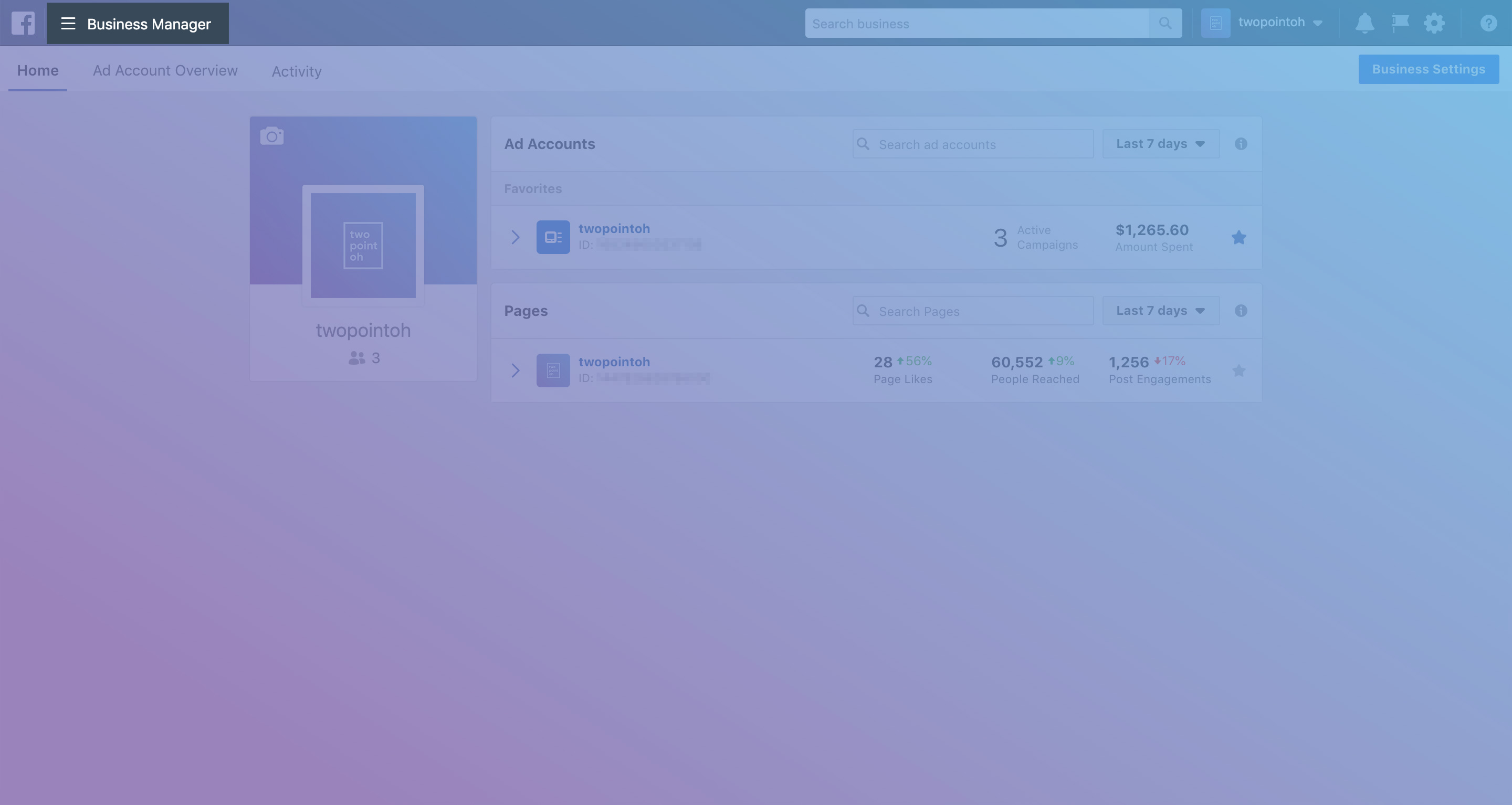
Open the Business Manager menu at the top, lefthand side of the window.
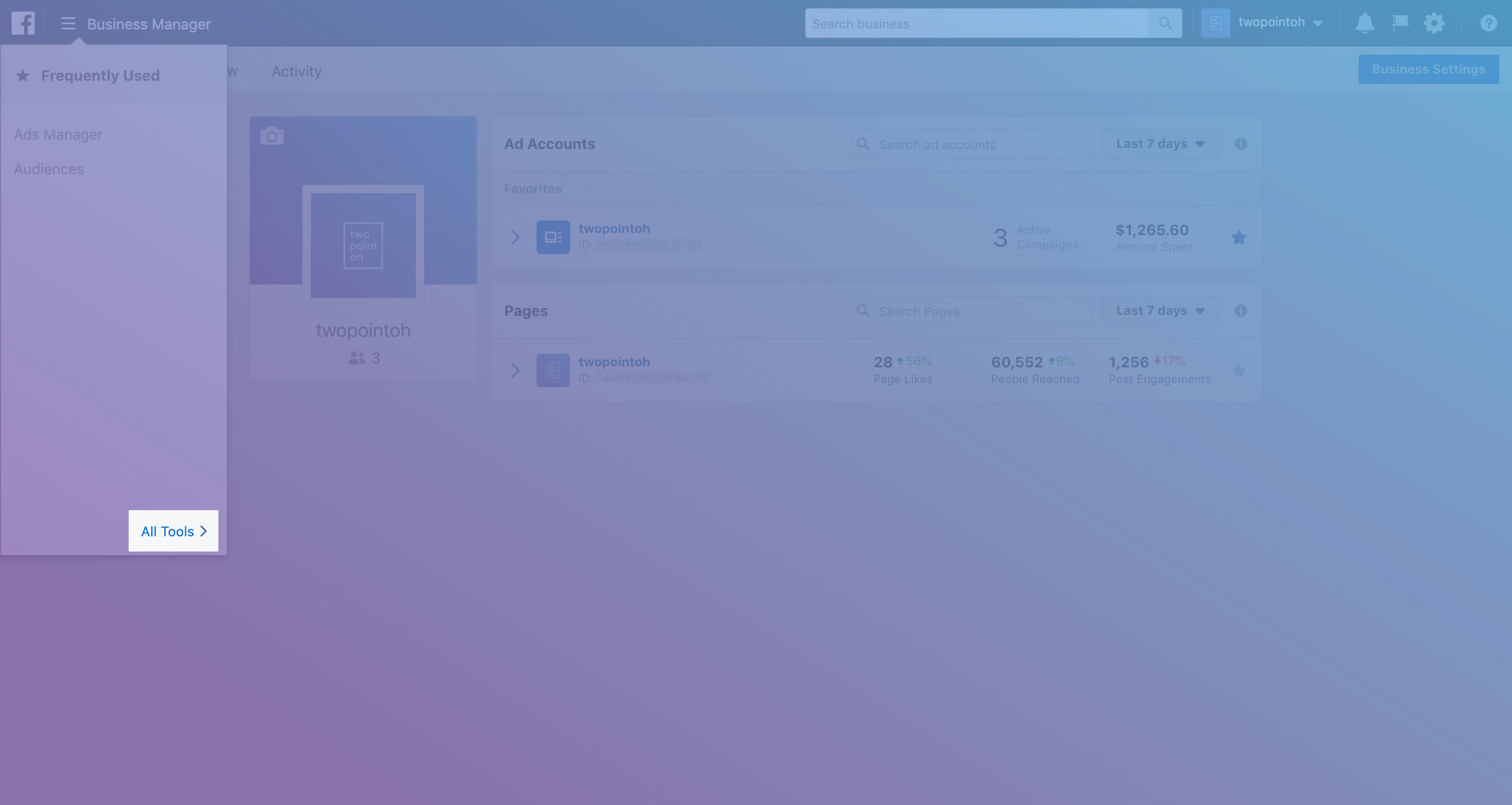
step 3 :: select "all tools" option
Hover over the "All Tools" link to open the full menu.
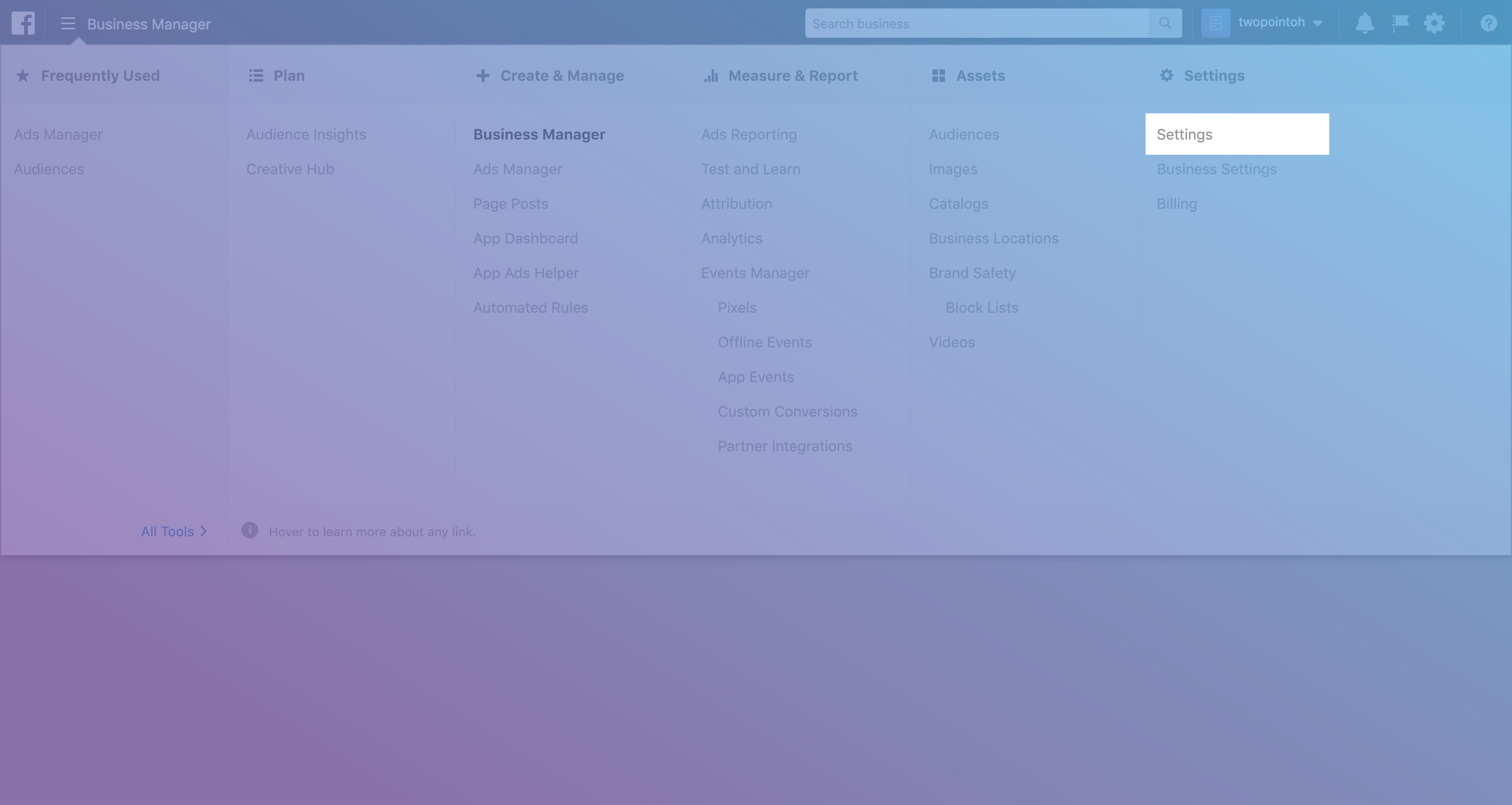
step 4 :: open the "settings" page
Click the "Settings" link under the "Settings" column.
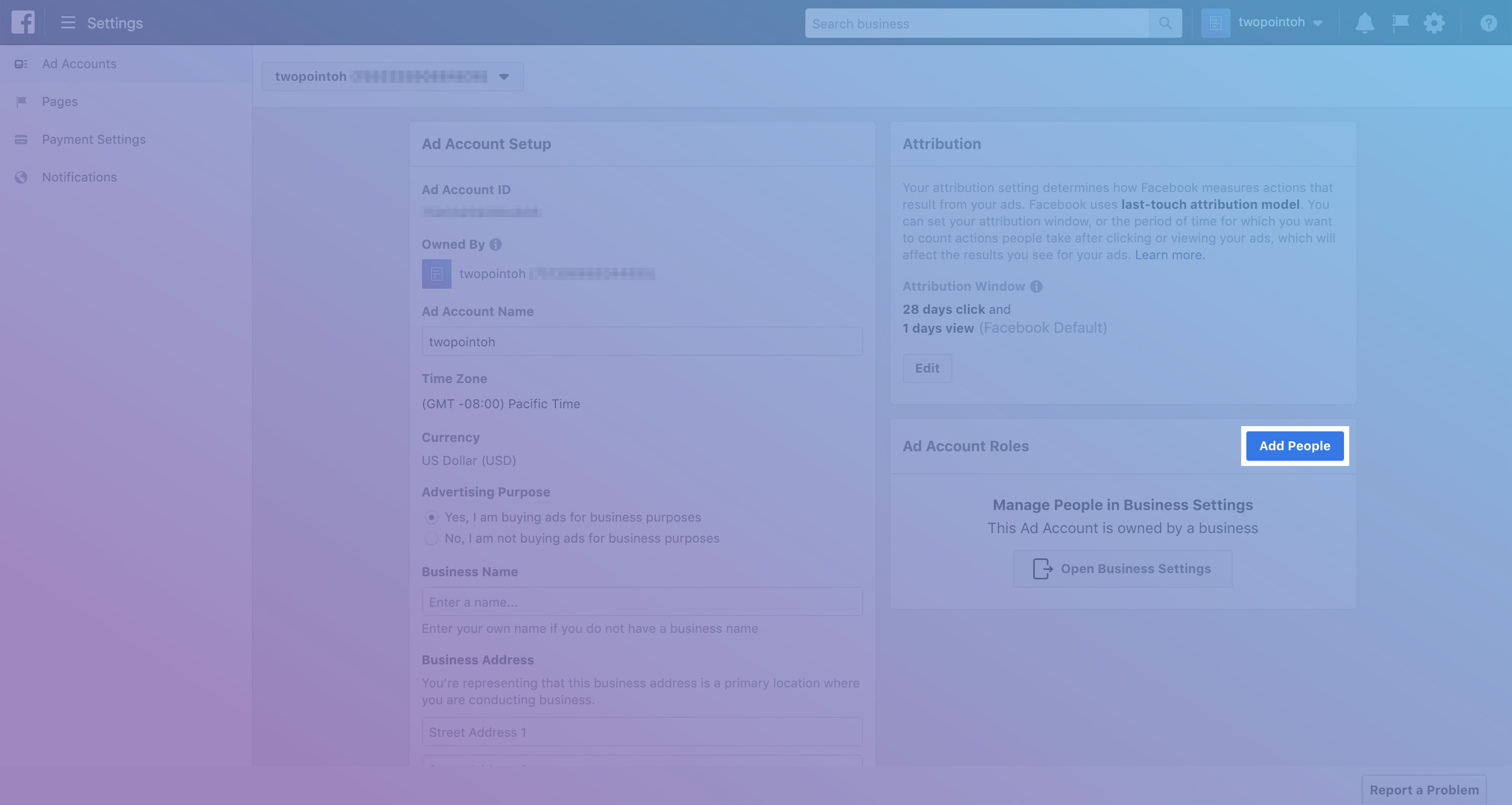
step 5 :: click "add people"
Click the "Add People" button under the "Ad Account Roles" panel.
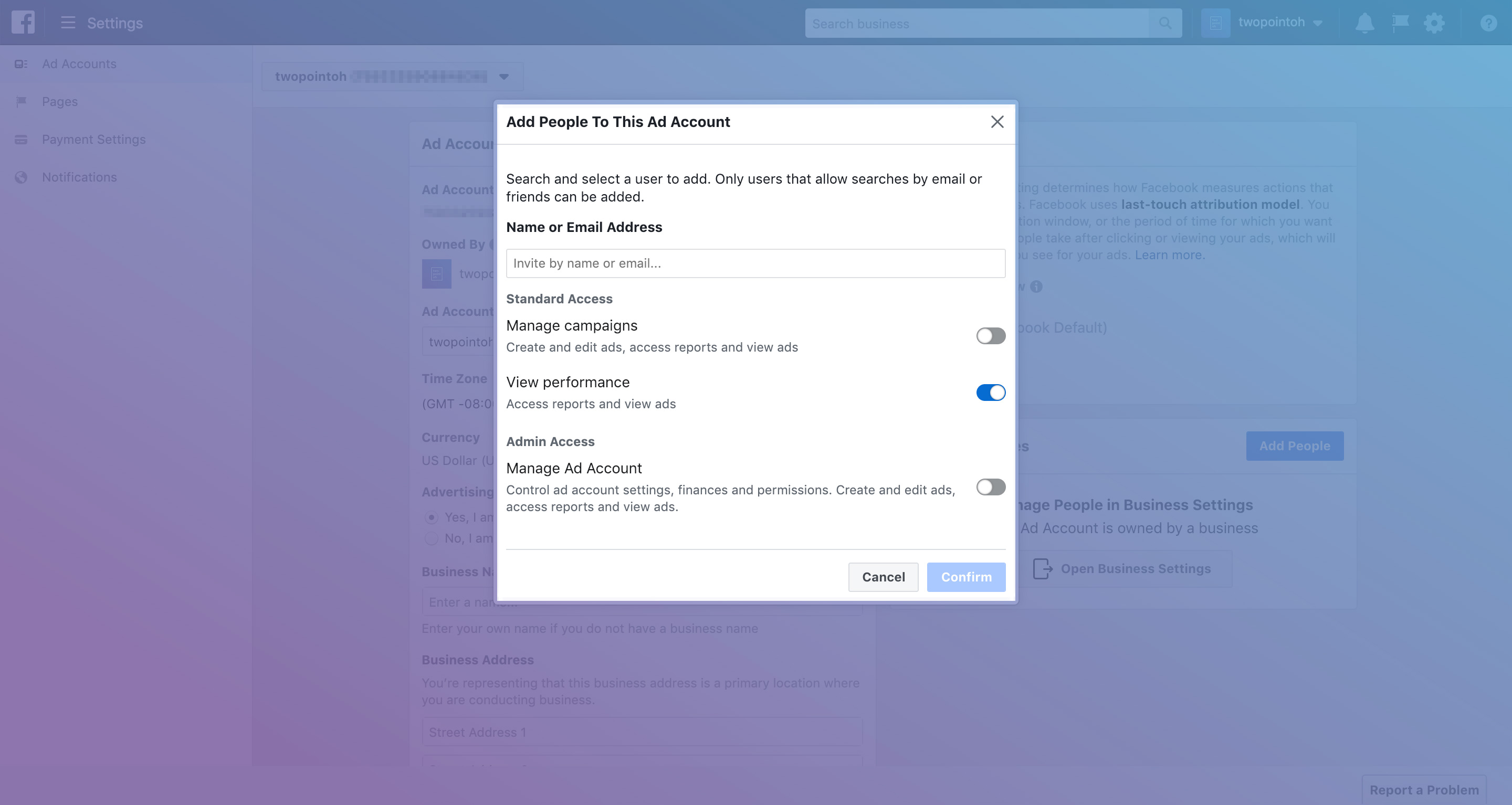
step 6 :: enter user email address & credentials
Enter the email address of the user you would like to add and select what you'd like them to be able to do.
If the user is simply providing an audit of your account, we recommend leaving just the "View performance" option selected. You can always adjust these settings later.
And you are done! We encourage everyone to purge access frequently so no one has access to your data who should not.